
KeepGlide
Your collection, in sync. 🪁
Files kept in step, notes connected through wikilinks, documents ready to read. All in an app that runs on your own computer.
In motion
See it in action
Short clips recorded in the real app, with a small demo vault.
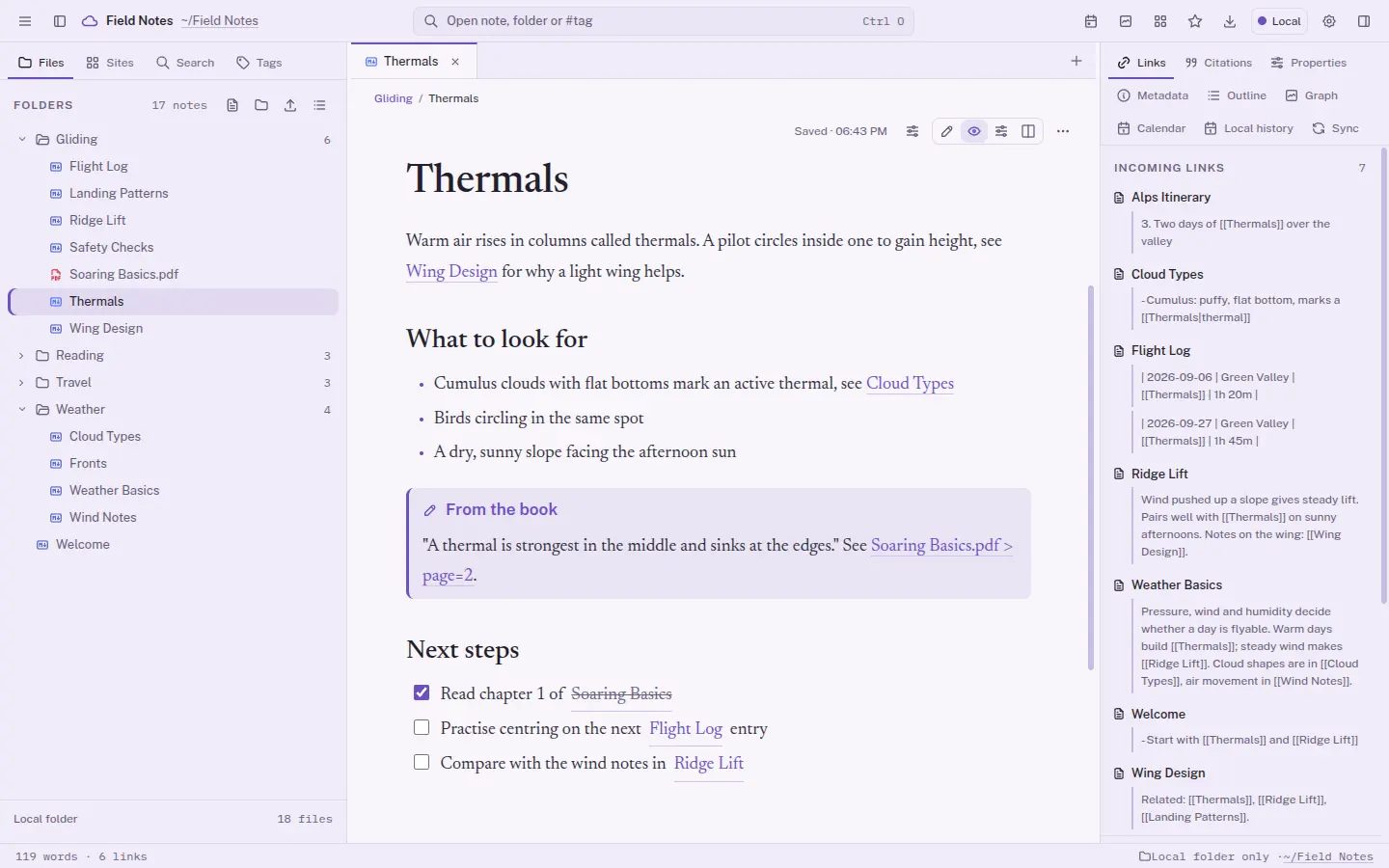
Open a note, follow the links
Jump between notes through wikilinks and see every incoming and outgoing link beside the text.
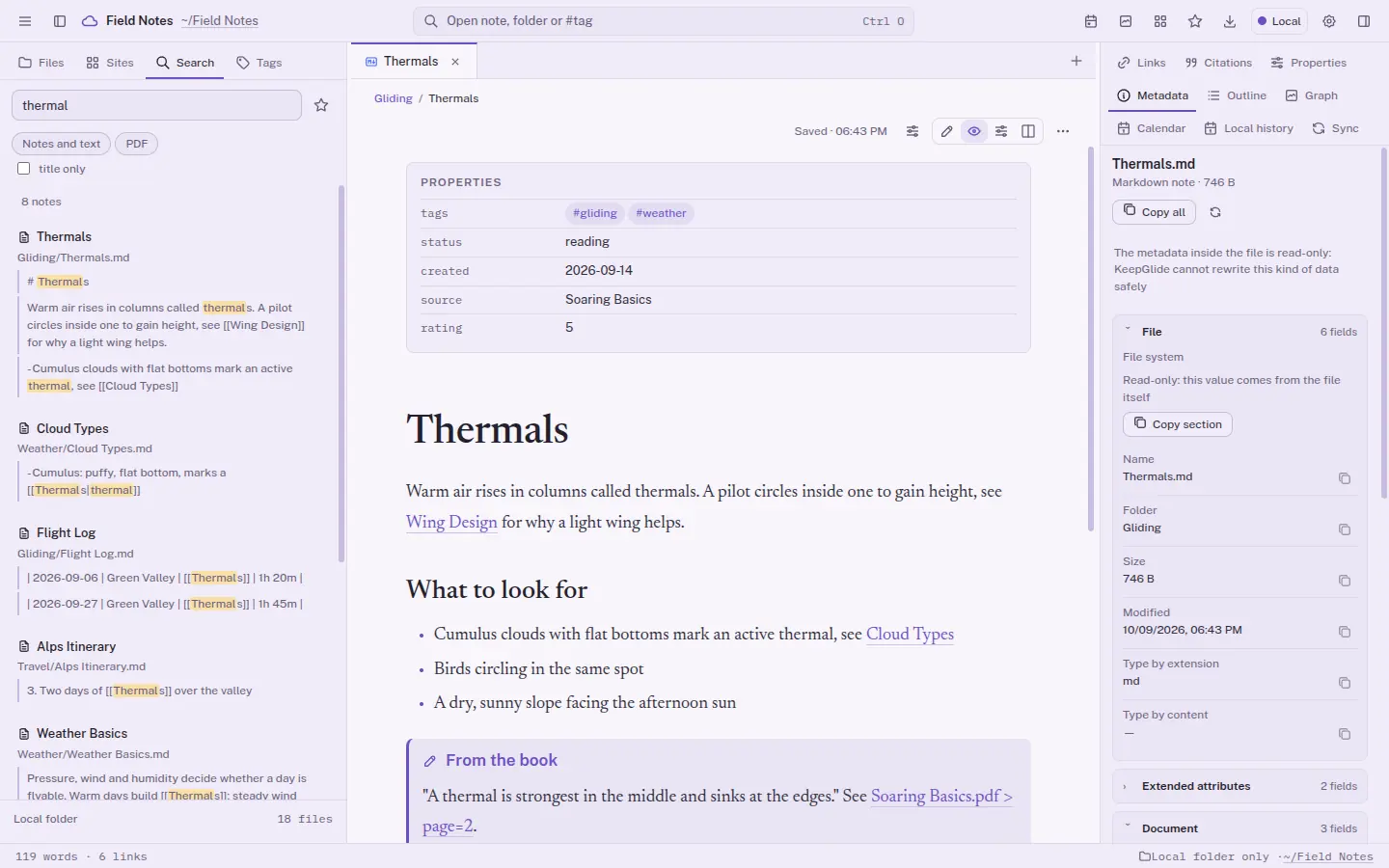
Search the whole vault
Type a word and get matching notes with the exact passages highlighted.
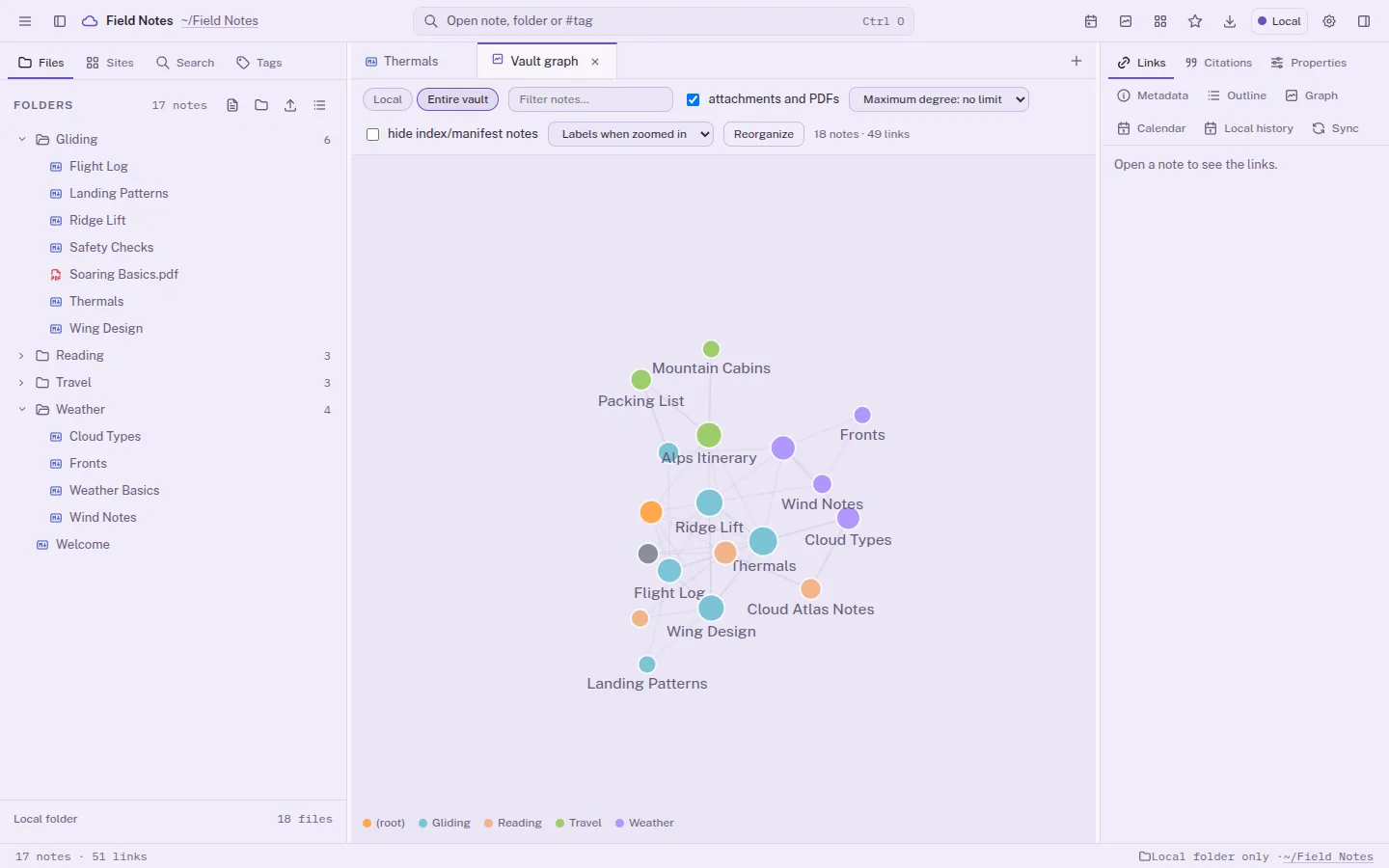
Explore the connection graph
See how your notes link together and zoom into the clusters.
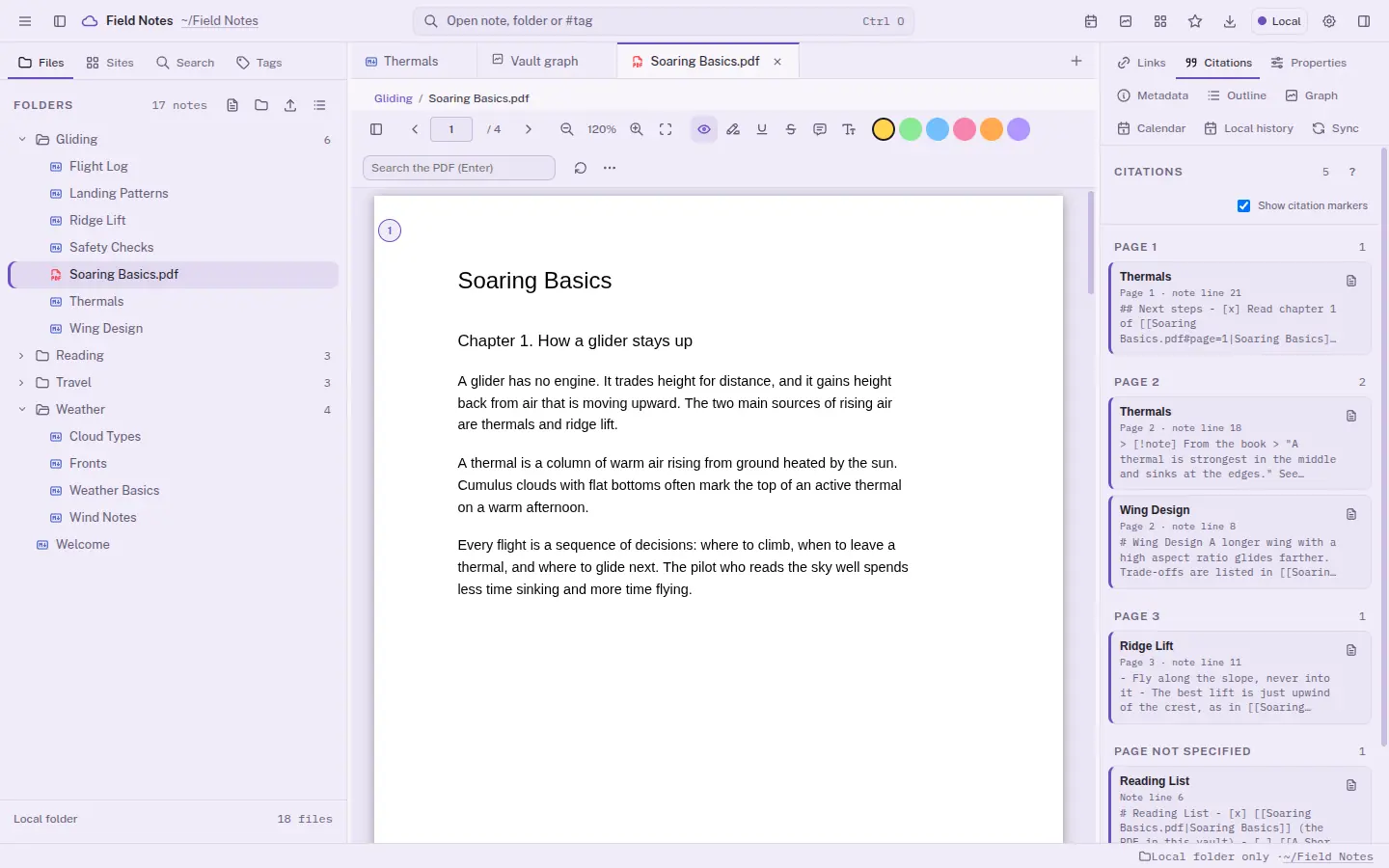
Read a PDF
Open a PDF next to your notes, with highlights, annotations and page citations.
What you can do
Everything in one calm place
Wikilinks and graph
Connect notes with
[[name]], follow backlinks and see the whole graph.Rich notes
Tags, tasks, callouts, math, diagrams and highlighted code in plain Markdown.
Properties and metadata
Edit frontmatter as typed fields, and read the metadata of any file, with copy as text or JSON.
PDFs with citations
Highlight and annotate, then cite the exact page from your notes.
Search and jump
Full-vault search, a quick switcher and a command palette, with keyboard shortcuts.
Favorites
Keep shortcuts to files, folders, saved searches, headings and blocks in My favorites, a thumbnails tab. Open them or go to where they live. Removing a favorite never deletes the original.
Many formats
Open JSON, code, CSV, Excel (.xlsx and .xls, read-only), PDF, EPUB, ODT and DOC, images, audio, video and ZIP previews, next to your notes.
Safe by default
Open formats, no lock-in. Deleted files go to a trash first, and conflicts keep both versions.
Make it yours
Pick the look that suits your eyes
KeepGlide ships 24 built-in themes, 14 dark and 10 light, and lets you tune your own palette. Six of them are below. This site stays light.
Previewing: Lavender (light)
Always in step
Sync with a Cloud Provider
A local folder and your Cloud Provider, kept in step through a queue. Work offline and changes go out when you are back.
- thermals.mdUploaded
- soaring-basics.pdfDownloaded
- ridge-lift.mdBoth versions kept
A closer look
Real screenshots
Taken in the app, with a demo vault.
Platforms
KeepGlide 1.x is a desktop app for Linux (x86_64).
The first cloud provider is supported already; more are planned.
Private by design
KeepGlide runs on your computer, in its own window. Local mode needs no account at all. You only connect a cloud provider if you choose a mode that uses one.
Ready for take-off soon
KeepGlide is about to launch. There is nothing to download or buy yet.
Get KeepGlide →